Creating the perfect gaming setup involves more than just powerful hardware. Your gaming environment significantly impacts comfort, performance, and enjoyment. This comprehensive guide will help you build a gaming space that enhances your experience while maintaining ergonomics and style.
Display Technology: Choosing Your Monitor
Your monitor is the window into your gaming worlds, making it one of the most critical components. In 2025, the options are more diverse than ever. High refresh rate displays have become affordable, with 144Hz and 165Hz monitors now available at reasonable prices.
For competitive gaming, prioritize refresh rate and response time. A 240Hz monitor with 1ms response time provides the smoothest experience in fast-paced games. For immersive single-player experiences, consider 4K resolution with HDR support for stunning visuals.
Ultrawide monitors have gained popularity, offering increased peripheral vision in compatible games. The 21:9 aspect ratio provides a more immersive experience without the complexity of multi-monitor setups. However, ensure your graphics hardware can handle the increased pixel count.
Audio Solutions
Quality audio enhances immersion and provides competitive advantages in multiplayer games. Gaming headsets have evolved significantly, with many offering excellent sound quality alongside convenient features like wireless connectivity and integrated microphones.
Consider your priorities when selecting audio equipment. Competitive players might prioritize accurate positional audio for hearing enemy footsteps. Those who value music and single-player experiences might prefer headphones with richer, more balanced sound signatures.
Desktop speakers remain relevant for those who prefer open-ear gaming or share their space with others. Modern gaming speakers often include virtual surround sound processing and customizable RGB lighting to match your setup aesthetic.
Input Devices: Mouse and Keyboard
Your choice of input devices dramatically affects both comfort and performance. Gaming mice come in various sizes, shapes, and weights. The best mouse feels like a natural extension of your hand, with button placement that suits your grip style.
Sensor technology has reached a point where even mid-range gaming mice offer exceptional tracking accuracy. Focus on ergonomics, build quality, and button configuration rather than chasing the highest DPI numbers.
Mechanical keyboards provide satisfying tactile feedback and durability. Switch types offer different characteristics, from clicky and tactile to smooth and linear. Consider trying different switch types before committing to ensure you find one that matches your preferences.
Ergonomic Considerations
Long gaming sessions demand proper ergonomics to prevent discomfort and potential health issues. An ergonomic gaming chair with proper lumbar support is essential. Adjustability is key, allowing you to customize the chair to your body and desk height.
Your desk should provide adequate space for your equipment while maintaining proper height. Your elbows should rest at roughly 90 degrees when using your keyboard and mouse. Monitor placement matters too; the top of your display should be at or slightly below eye level.
Consider investing in a desk with adjustable height, allowing you to alternate between sitting and standing. Even brief standing breaks throughout gaming sessions can reduce fatigue and improve circulation.
Lighting and Ambiance
Proper lighting reduces eye strain and enhances your gaming space aesthetics. Bias lighting behind your monitor reduces the contrast between bright screen content and darker surroundings, minimizing eye fatigue during extended sessions.
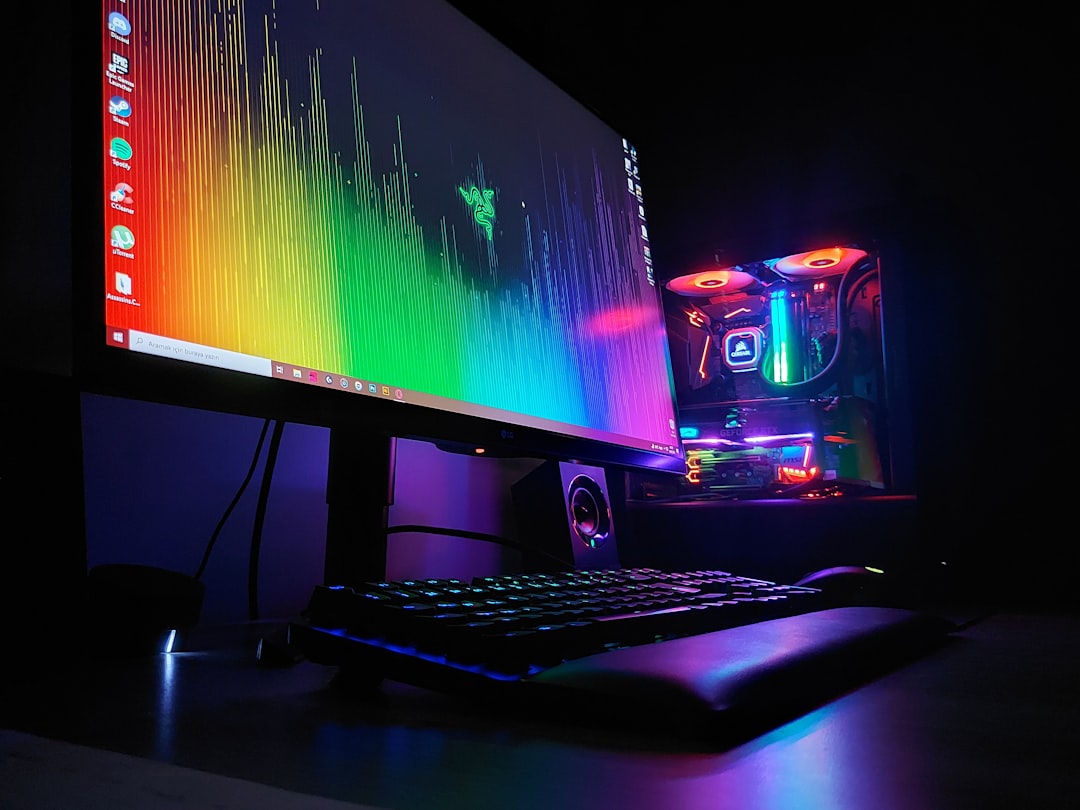
Ambient lighting with customizable colors allows you to match your setup to your mood or game. Smart lighting systems can sync with on-screen content, creating an immersive atmosphere that extends beyond your monitor.
Avoid placing lights directly in your line of sight or creating glare on your screen. Indirect lighting that illuminates your space without shining in your eyes provides the best balance.
Cable Management
A clean setup isn't just about aesthetics; organized cables improve functionality and maintenance. Cable management solutions range from simple zip ties to elaborate routing systems built into desks.
Start by grouping cables by destination. Power cables should be separated from signal cables when possible to reduce interference. Use cable sleeves or channels to hide cable runs along desk edges and walls.
Label your cables, especially power adapters and similar-looking connections. This simple step saves significant time when troubleshooting or reorganizing your setup.
Space Optimization
Not everyone has a dedicated gaming room, but you can optimize any space for gaming. Wall-mounted monitor arms free up desk space while providing positioning flexibility. Headphone stands and controller holders keep your peripherals organized and accessible.
Vertical space is often underutilized. Shelving above your desk can hold games, collectibles, or equipment you don't need immediate access to. Just ensure nothing is positioned where it might fall onto your equipment.
Consider your room's acoustics if audio quality matters to you. Soft furnishings, wall panels, and even strategically placed bookshelves can reduce echo and improve sound quality.
Streaming and Content Creation
If you're interested in streaming or creating gaming content, additional equipment becomes necessary. A quality webcam or dedicated camera improves your visual presence. USB microphones or audio interfaces with XLR microphones significantly upgrade your audio quality over headset mics.
Lighting becomes even more critical for streaming. A key light, fill light, and backlight setup creates professional-looking video. LED panels with adjustable color temperature offer flexibility for different content styles.
Green screens enable background replacement, though they require adequate lighting and space. Alternatively, blurred or stylized backgrounds can work well without the space requirements and complexity of chroma keying.
Climate Control
Gaming equipment generates heat, and maintaining comfortable temperatures enhances both comfort and hardware longevity. Ensure adequate room ventilation, particularly around your PC or console.
Desktop fans or portable air conditioning units can help during warmer months. Position them to promote air circulation without blowing directly onto you or creating excessive noise.
Monitor your equipment temperatures, especially if you notice performance issues or excessive fan noise. Dust buildup restricts airflow, so regular cleaning maintains optimal cooling efficiency.
Budget Planning
Creating your ideal setup doesn't require buying everything at once. Prioritize components that most directly impact your experience. A comfortable chair and proper desk setup should come before RGB lighting and decorative elements.
Research thoroughly before purchasing. Read reviews, watch comparison videos, and seek recommendations from fellow gamers. Sometimes mid-range options provide better value than flagship products with marginal performance improvements.
Watch for sales and bundle deals, particularly during major shopping events. However, avoid impulse purchases just because something is discounted. Stick to your planned upgrade path.
Personalization and Style
Your gaming setup should reflect your personality and preferences. Whether you prefer minimalist aesthetics or elaborate themed setups, make choices that resonate with you.
Decorative elements like posters, figures, or artwork can personalize your space without impacting functionality. LED strips, RGB components, and custom keycaps offer ways to customize your setup's appearance.
Color coordination creates visual cohesion. Choose a color scheme and carry it through your peripherals, lighting, and decorative elements for a polished look.
Maintenance and Upgrades
Regular maintenance keeps your setup performing optimally. Dust your equipment periodically, clean your peripherals, and organize cables as needed. These simple tasks prevent long-term issues and maintain your setup's appearance.
Plan for gradual upgrades rather than complete overhauls. Technology evolves constantly, but not every new release represents a meaningful improvement. Upgrade when your current equipment no longer meets your needs or when significant technological advances occur.
Conclusion
Building the ultimate gaming setup is a personal journey. What works perfectly for one person might not suit another. Focus on components that address your specific needs and preferences rather than chasing arbitrary ideals.
Take your time, do your research, and build your setup gradually. The process of refining your gaming space can be as enjoyable as gaming itself. Whether you're working with a generous budget or making careful choices with limited resources, creating a comfortable, functional gaming environment enhances every moment you spend with your favorite games.